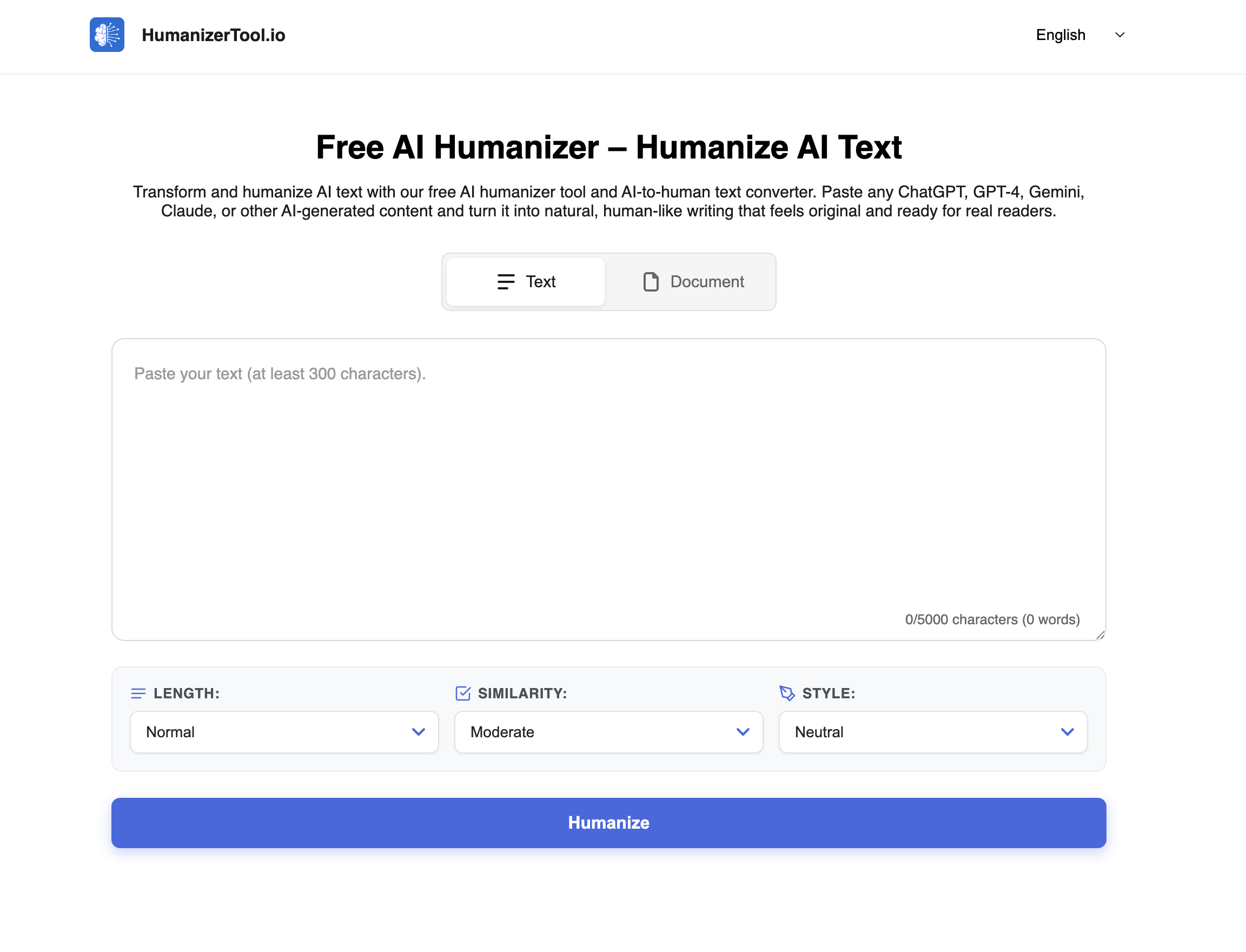
The Free AI Text Humanizer & Detector by HumanizerTool.io is a cutting-edge online utility designed to make AI-generated content sound natural, fluent, and human-like. Whether you create text using ChatGPT, GPT-4, Gemini, Claude, or any other AI writer, this tool helps transform stiff, mechanical phrases into smooth, readable writing that feels original and engaging for real readers. The platform combines AI-to-human text conversion with an integrated AI detector and checker, ensuring both enhanced readability and a quick scan for AI-authorship signals—all in one free, easy-to-access website.
This tool is built for a wide range of users including students, marketers, bloggers, educators, and professionals who want to polish AI drafts quickly without signing up or paying. It supports multiple languages, offers customizable tone and length options, and will soon enable bulk processing through document upload. HumanizerTool.io aims to improve your AI-generated content’s tone, flow, and style while preserving the original meaning and formatting.
Key Features
Free and Easy to Use: Humanize your AI text in seconds without creating an account, installing software, or providing payment details.
Multi-Language Support: Work seamlessly in 12 languages including English, Russian, Spanish, Hindi, German, French, Romanian, Indonesian, Filipino, and more.
Tone Customization: Choose from 8 tone presets such as Academic, Casual, Marketing, Business, Friendly, Creative, Technical, and Informal to fit the context and target audience.
Purpose-Based Modes: Select from 9 writing modes tailored for different content types, ensuring the humanized text suits academic papers, legal documents, blog posts, or emails.
Length Options: Adjust the output to concise, normal, or expanded versions depending on your content needs and length limits.
Integrated AI Detector: Instantly check your content with a built-in AI detection tool after humanizing, helping you evaluate the AI content’s naturalness.
File Upload (Coming Soon): Soon you will be able to upload PDF, PPT, Word, and TXT files for bulk text humanization and download the improved versions directly.
Fast Processing: Most inputs are humanized in seconds, making the tool ideal for quick editing and polishing sessions.
Text Export: Copy results or download humanized text in supported file formats for easy reuse and sharing.
Use Cases
Academic Writing: Refine AI-generated drafts to meet academic expression standards with precise tone and clarity.
Marketing & Content Creation: Convert AI scripts into engaging, persuasive copy that resonates naturally with target customers.
Blogging & Social Media: Make AI content more relatable and easier to read by adopting casual or friendly tones.
Business Communication: Enhance professional emails, reports, and documents to maintain formality and polish.
Studying & Research: Turn AI summaries or notes into clearer, more structured human-style study aids.
Multilingual Content: Humanize text directly in multiple languages for global and cross-cultural projects.
Editing & Polishing: Use as a first-pass draft improvement tool before customizing final content with personal flair or data.
FAQ
Q1: What is an AI humanizer tool?
An AI humanizer tool rewrites AI-generated text to sound natural and human, improving readability and flow while preserving original meaning.
Q2: How do I use HumanizerTool.io?
Simply paste your AI-generated text into the input box, select your preferred tone, length, or purpose modes if desired, and click "Humanize Text" to instantly get a natural-sounding version.
Q3: Can I customize the output?
Yes, after humanizing, you can edit, expand, shorten, or localize the text manually to better fit your needs.
Q4: Does it support languages other than English?
Yes, the tool supports 12 languages and can humanize text directly into those languages without the need for manual translation.
Q5: Is there a way to check if the text is AI-generated?
The platform has a built-in AI detector alongside the humanizer so you can scan your text to assess its AI authenticity.
Q6: Can I use it for bulk text files?
File upload and bulk processing features are coming soon. Join the waitlist to stay updated.
Q7: How fast is the processing?
Processing usually takes seconds for short to medium-length text, depending on server load.
Q8: Is there any cost or sign-up required?
No. This service is free to use with no account creation or payment needed.
Q9: Will the formatting be preserved?
The tool tries to retain paragraph breaks and headings but may restructure sentences slightly to improve naturalness.
Q10: Who can benefit from this tool?
Students, professionals, content creators, marketers, educators, multilingual users, and anyone looking to humanize AI-generated text quickly and efficiently.
HumanizerTool.io empowers you to turn AI-generated drafts into polished, natural-sounding text effortlessly, improving communication and content quality across domains.